You may also be interested in...
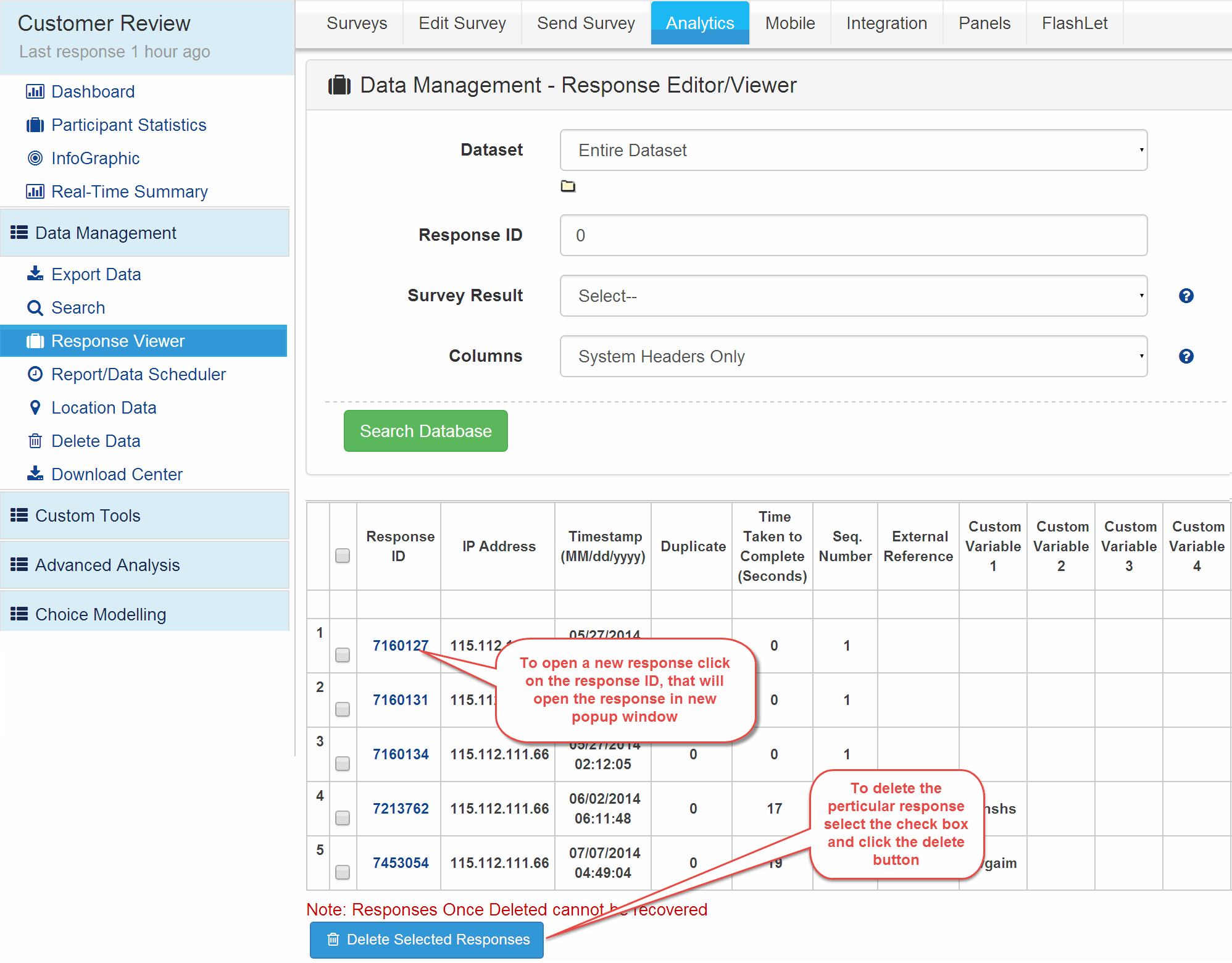
1. Screenshot
2. Screenshot
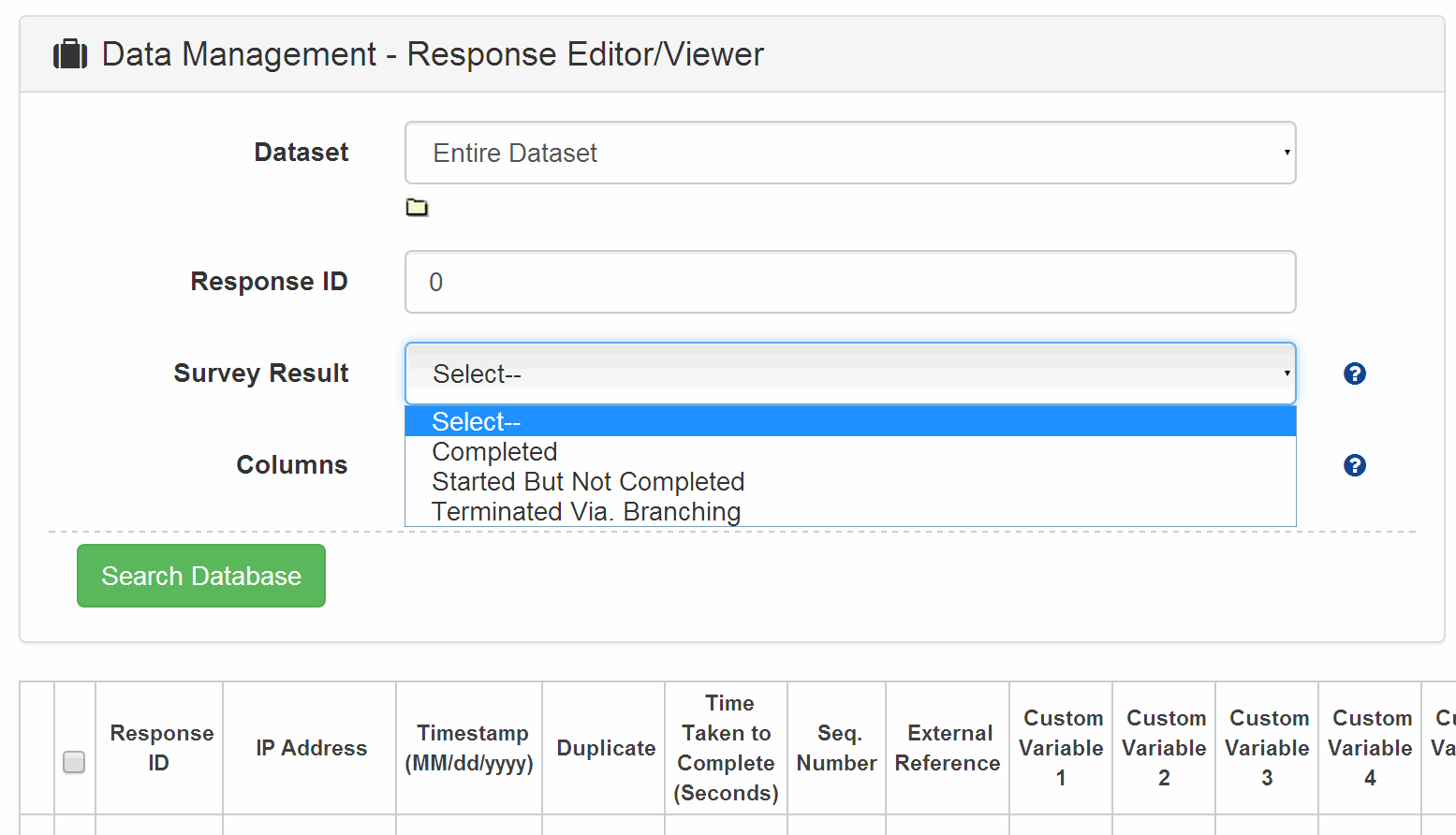
Dataset: If you have created groups then you can select a particular dataset and only the responses for that dataset will show up.
Response ID: If you want to search for a particular response ID you can enter it here and then search. 0 indicates all data will be searched.
Survey Result: Here you can search only for Incomplete / Completed or Terminated responses.
Columns: By default only System Variables will be displayed. Select the All Questions option to view the entire data for the responses.
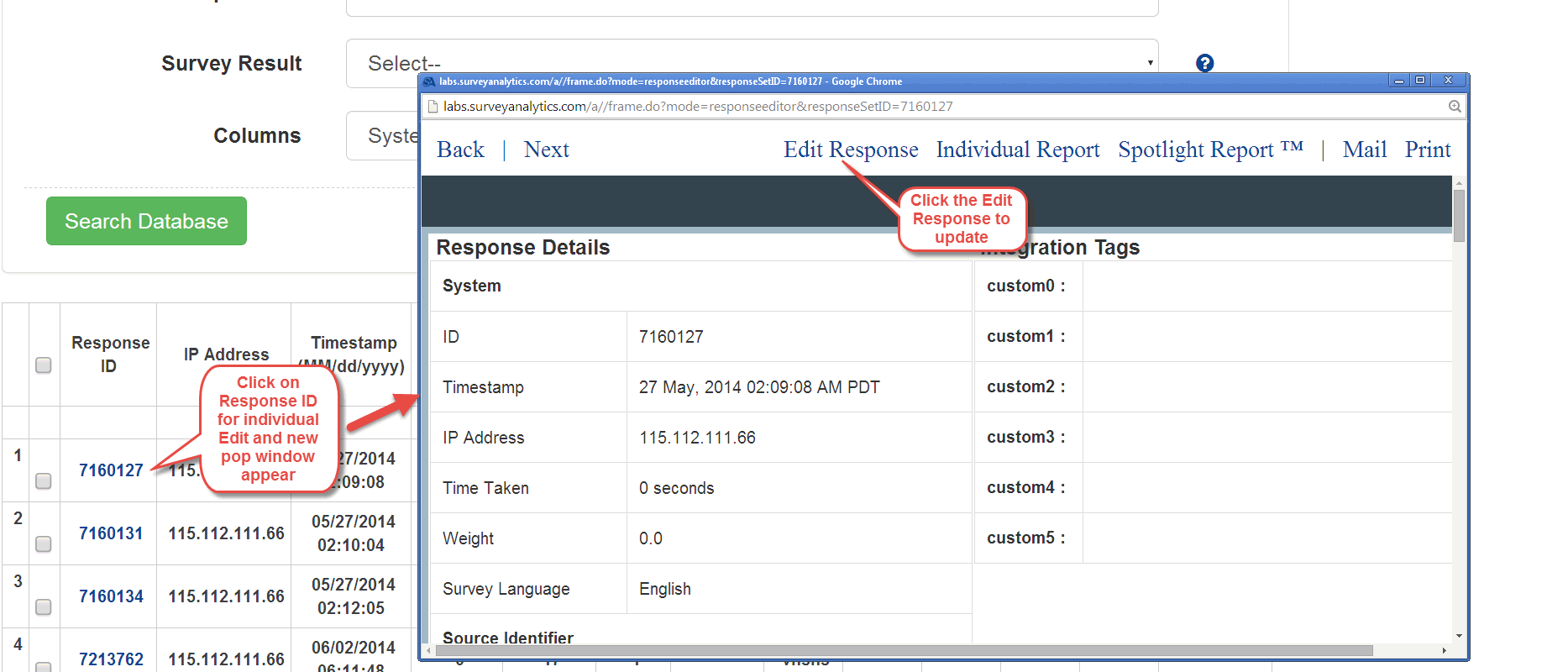
The above options can be used in conjunction.Click on the Response ID for the response that you wish to Edit. The individual response will pop up. For the Response Click on the Edit Response link. Please note that after updating each question you will need to click on the Update Changes button individually.
3. Screenshot
If your survey has "looping" - there will be multiple responses generated for the same questions - YOU CANNOT USE THE RESPONSE EDITOR if your survey has complex looping logic or extraction.
Rank Order and Constant Sum Validation : When editing responses directly, the system DOES NOT VALIDATE any of the validation options.
Branching Logic / Skip Logic : None of the Branching Logic or Skip Patters are applied when editing responses directly. If you have branching/skip logic, please make sure that you do not enter in data that cannot be validated or is inconsistent with the branching logic that you have setup.
Spotlight Report: This will give you the comparision of the individual response with the aggregate responses for the Survey
Mail: Click on the Mail link to email this individual response
Print: Click on the Print link to print this individual response