SurveyAnalytics Features

"SurveyAnalytics has become an integral part of our marketing strategy."

Brittney Maxfield, Corporate Communication Manager, VitalSmarts

"SurveyAnalytics allows us to quickly and conveniently poll our clients to gauge perceptions, measure opinions, and gather data on the latest trends that pertain to our industry. Having this capability and data at our finger tips is what keeps us agile and responsible to the market."

Piping - What is Piping?

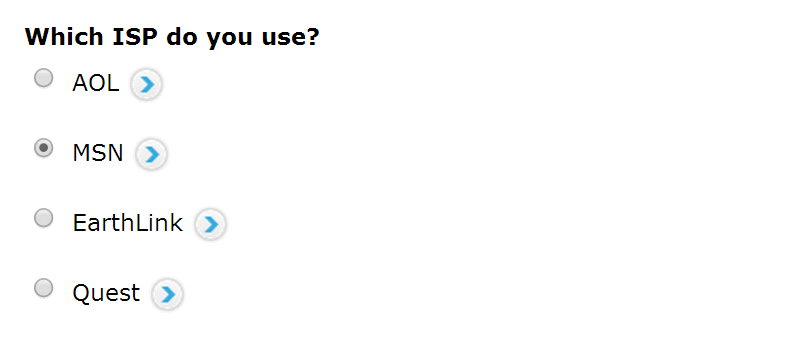
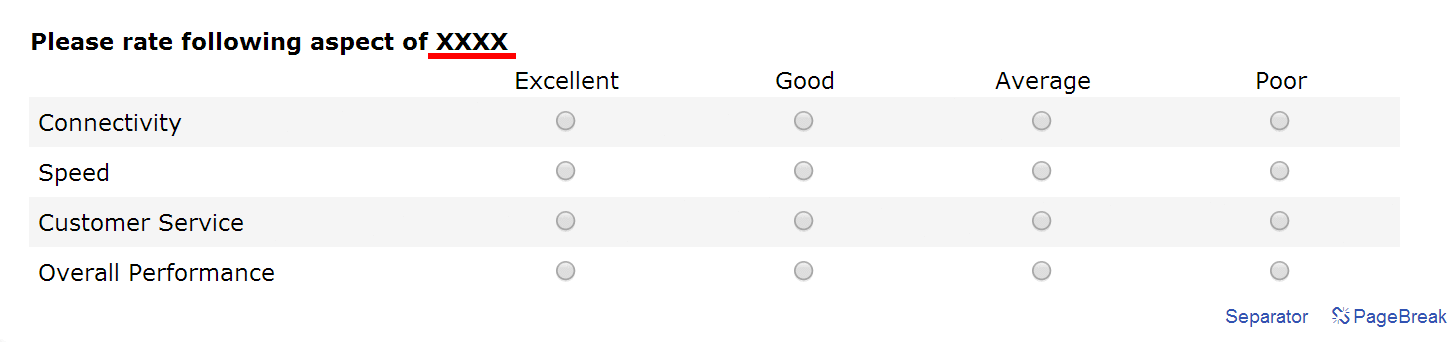
Piping enables you to carry text from one question to the next depending on the options selected by the respondent. For example if you have a scenario as described below

1. Screenshot

Survey Software Help Image

2. Screenshot

Survey Software Help Image
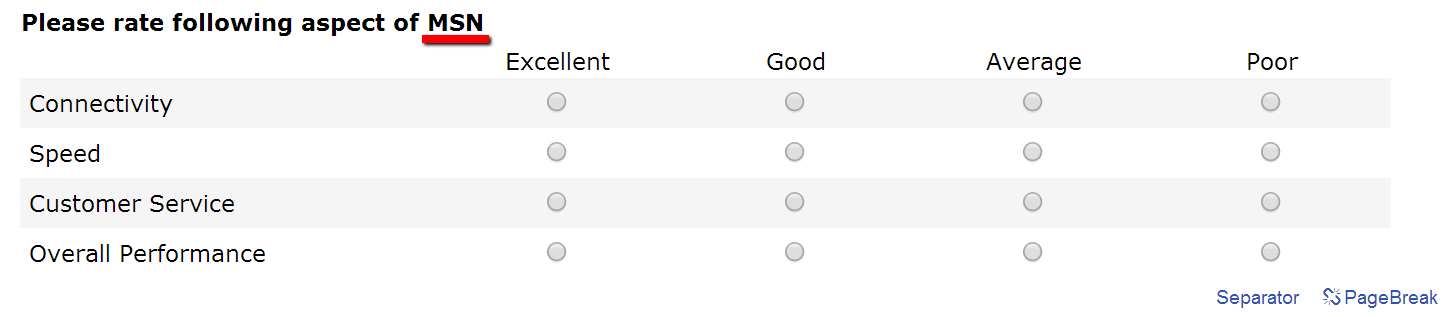
Now you would like to replace the XXXX with whatever ISP the respondent had selected for question 1. Piping will enable you to replace the XXXX with the appropriate text. If the respondent had selected MSN for question 1 then question 2 will be displayed as:

3. Screenshot

Survey Software Help Image
How to setup Piping?

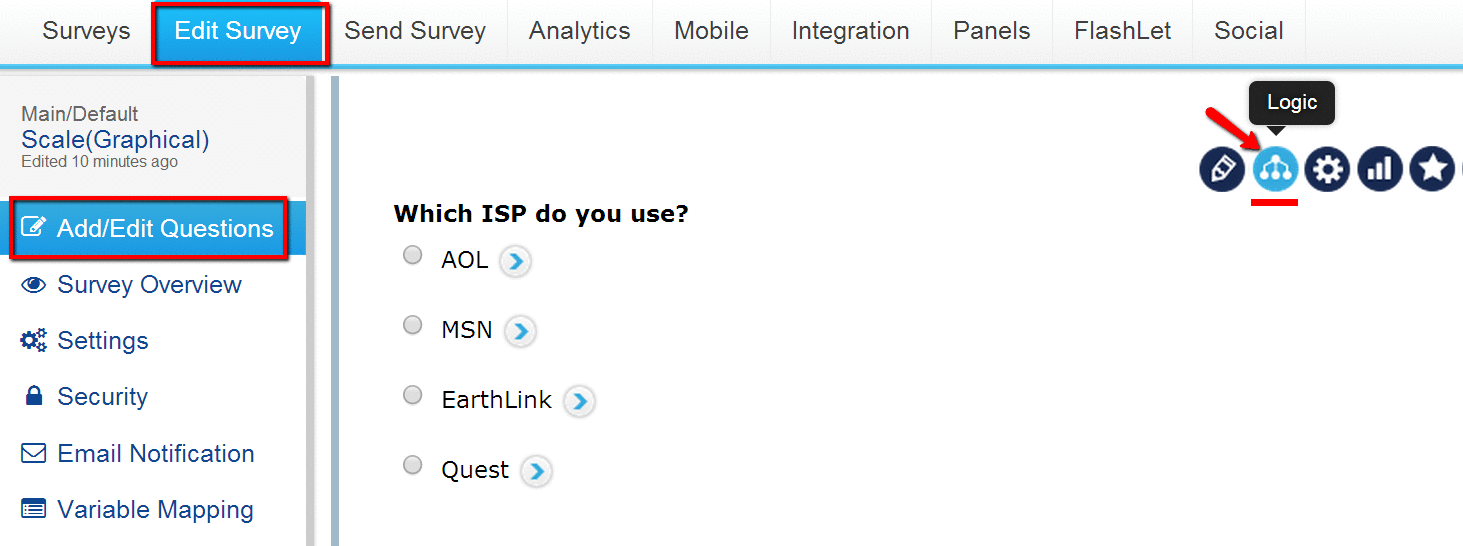
On the Edit Survey page you will find Add / Update Logic link next to each question. For the source question (e.g. question 1 in the above example) click on the Add / Update Logic link.

4. Screenshot
Survey Software Help Image

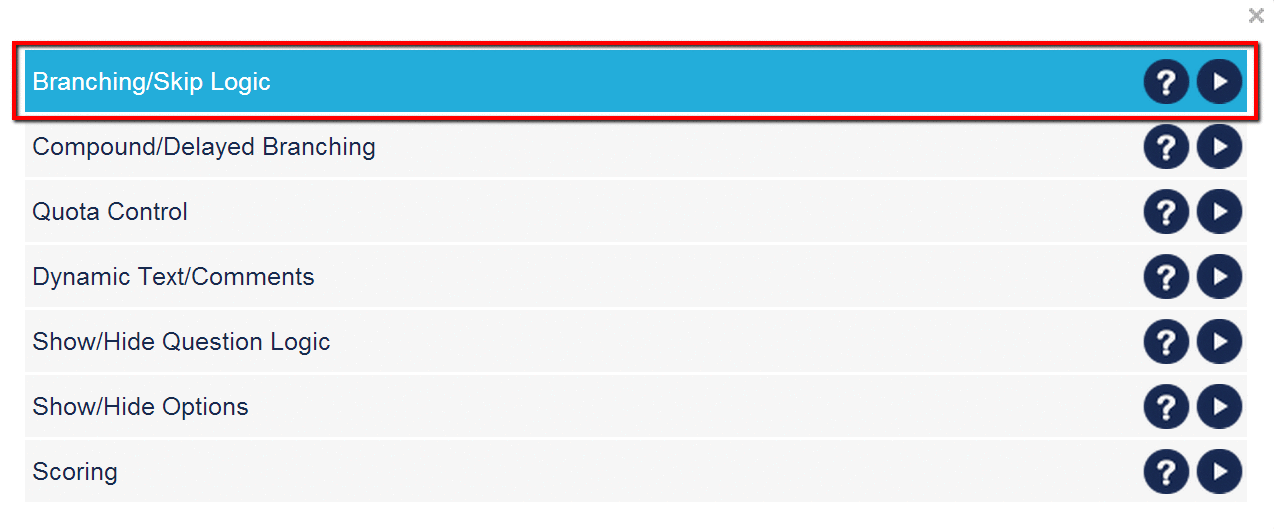
In the pop up window select the Branching / Skip Logic option and click on Set up Logic.

7. Screenshot
Survey Software Help Image

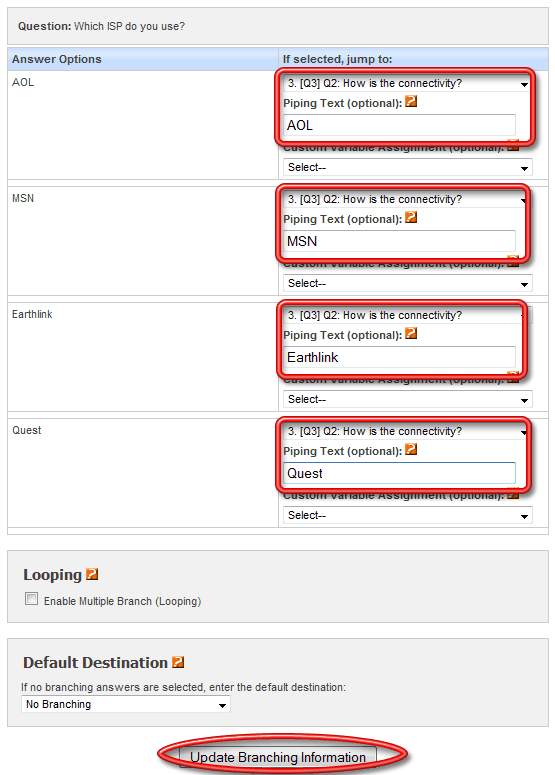
For each option select the question for branching (Jump to) and the Piping option will be displayed. Enter the piping text and Update Branching Information.

Piping option will only be displayed once branching destination is selected.

5. Screenshot

Survey Software Help Image

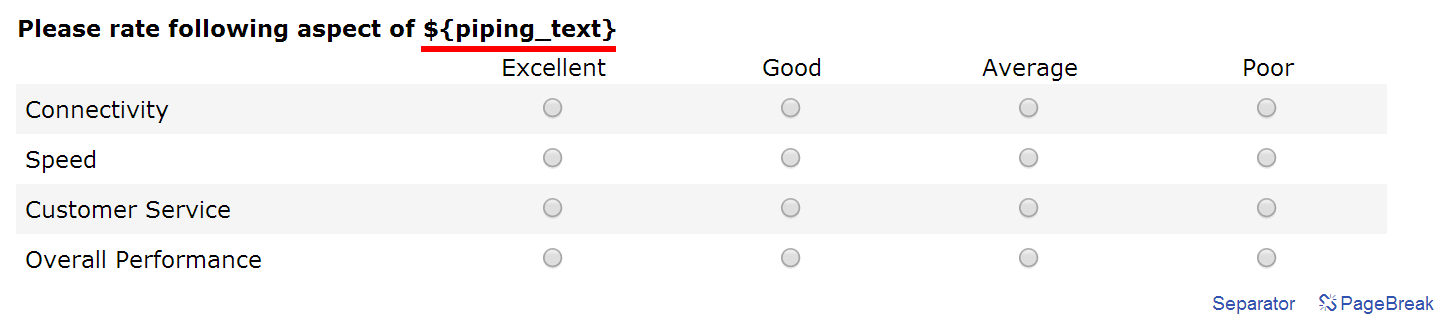
In the destination question, use ${piping_text} where ever you would like the piped text to show up. For example, in the above scenario, question 2 would be setup as:

6. Screenshot
Survey Software Help Image

Can I carry over the Piping Text to multiple pages?

Piping Text can only be carried over to the Next Immediate page. If you wish to carry over text to multiple pages you can do so using Custom Variables. For more information please see link below.

Is there any limitation on the nummber of characters that can be piped?

Piping text has a limitation of 255 characters (Including Spaces/Special Characters)

See example:

PRODUCTS & SERVICES

SurveySwipe mobile survey panel app for smartphones including iOS and Android devices.

SurveyPocket iPad and Android tablet data app for collecting offline and online data in the field.

Visualize Your Data - Interactive Charts and Dashboard for the Tablet - iPad, Android, Kindle...

Get unprecedented vision into consumers' daily lives by collecting moment-to-moment data from their mobile devices.

MediaBunker helps you securely test videos, audio, pictures and more using mobile devices.